VideoGear API
Overview
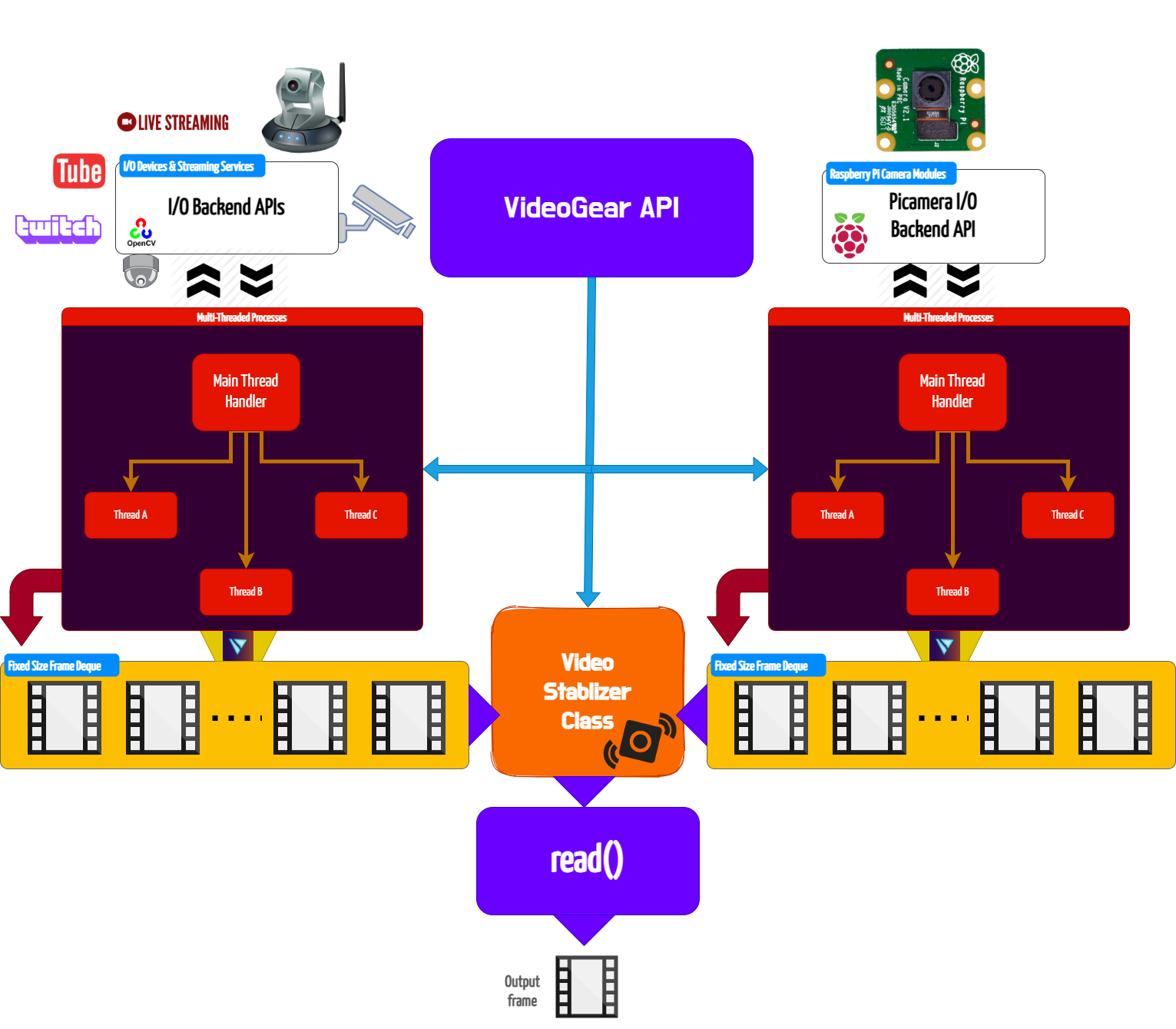
VideoGear is ideal when you need to switch between multiple video-capture backends with minimal code changes. It also simplifies video stabilization for both live streams and video files, requiring very little effort and fewer lines of code.
VideoGear API provides a special internal wrapper around VidGear's exclusive Video Stabilizer class.
VideoGear also serves as a common video-capture API, providing unified access to CamGear, PiGear, and FFGear along with their respective parameters. You can switch between these backends using the api parameter.
Supported Backends
| API | Backend | Best for |
|---|---|---|
Backend.CAMGEAR (default) | CamGear | Webcams, files, network streams, streaming sites |
Backend.PIGEAR | PiGear | Raspberry Pi camera modules |
Backend.FFGEAR | FFGear | Hardware-accelerated decoding, complex FFmpeg filtergraphs |
Helpful Tips
-
If you're already familiar with OpenCV library, then see Switching from OpenCV ➶
-
It is advised to enable logging(
logging = True) on the first run for easily identifying any runtime errors.
Usage Examples
After going through VideoGear Usage Examples, Checkout more of its advanced configurations here ➶
Parameters
References
FAQs